Designing Experiment
Create experiments with data from sample sets and analysis algorithms to form custom algorithm models.
- Log in to supOS, and then select Data Intelligence > Data Science > Bigdata Analysis > Experiment Design.
- Click Add, and then select Empty experiment.
- Drag the Input component from the left side to the canvas, and then click on the component.
- On the right side, click Select object, and then select a sample set to be the input data source.
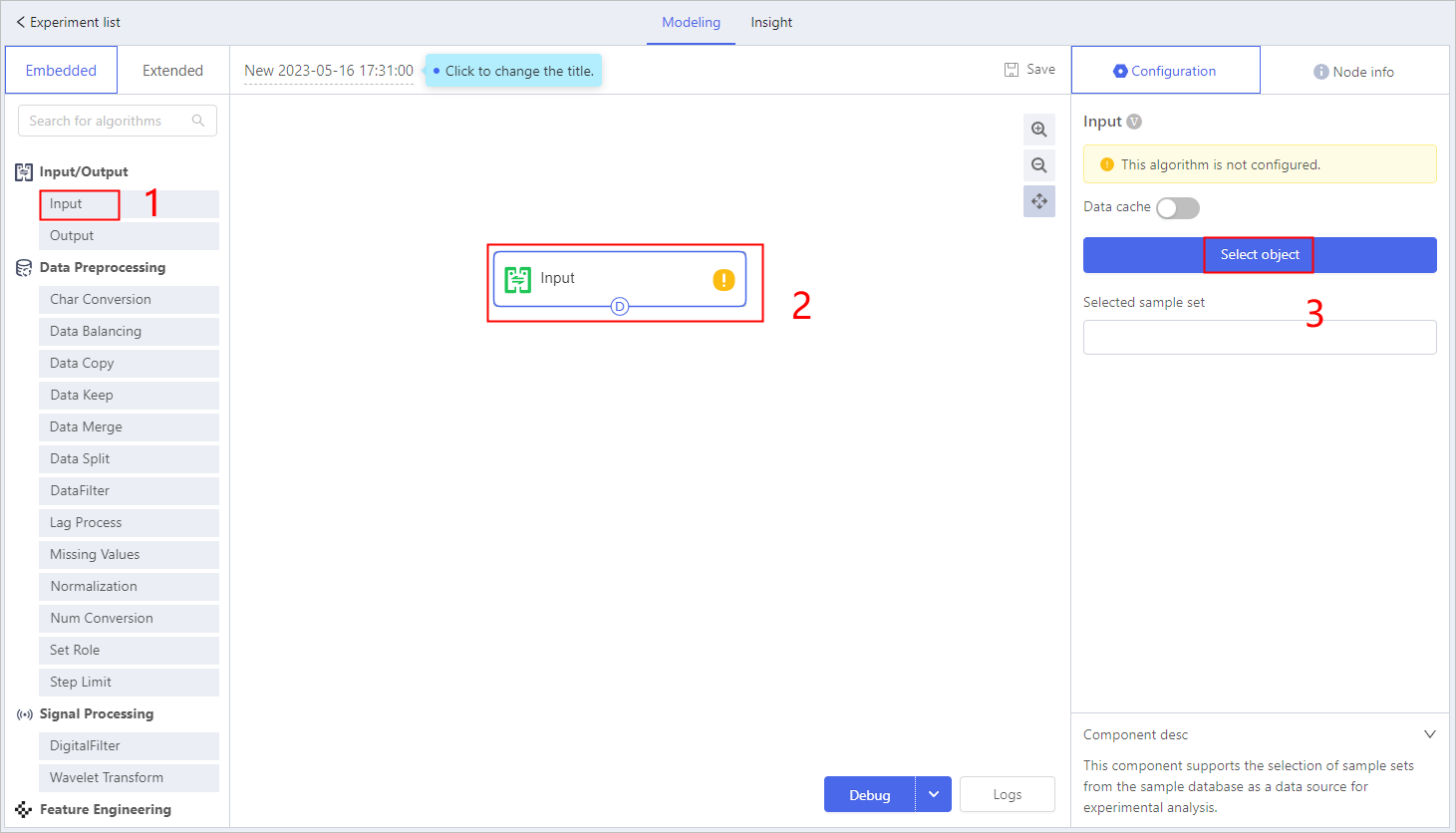
- Select components from the left to form the algorithm model according to specific requirements.
- Click a component, and configure its parameters on the right.
- Click a component, and you can see the definition of it at the lower-right corner.
info
- For details of components usage and configuration, see Component Description.
- Under Extended, all imported extend algorithms are listed for use. For developing details, see Third-party Algorithm Development.
- Click Debug, the result of the model will be displayed on the right under Insight.
- Click a component, and its insight results are displayed on the right.
- Click Configuration info on the insight results to check the detailed configuration of each component.
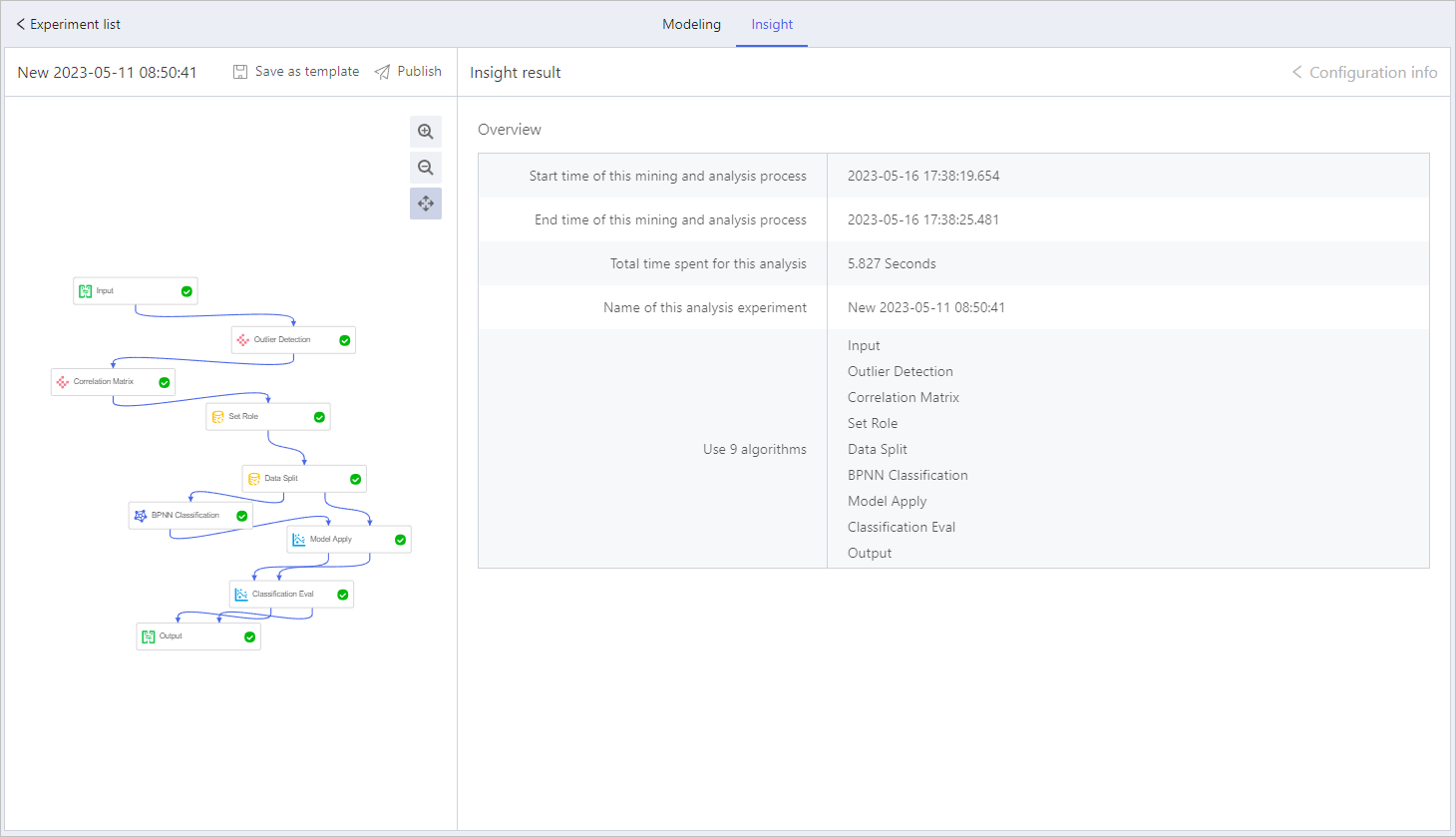
- Click Publish to publish the experiment model.tip
Click Save as template to save the model as a template, and then you can use it when building new models.